Search
Find notebook metadata, saved code and outputs, data sources, namespaces, tables, and columns through the web app, REST API, or MCP.
Enable search
Search defaults to off. Set MARIMOHUB_SEARCH_BACKEND=bucket and run one server replica with MARIMOHUB_RUN_MAINTENANCE=true to maintain the index. The maintenance replica runs the search_indexing loop. Search runs only on the Node server (apps/server). The Cloudflare Worker does not support search. Keyword search needs no AI provider.
For semantic notebook search, configure an embeddings endpoint and model:
MARIMOHUB_SEARCH_BACKEND=bucket
MARIMOHUB_SEARCH_EMBEDDING_URL=https://provider.example/v1/embeddings
MARIMOHUB_SEARCH_EMBEDDING_MODEL=your-embedding-model
MARIMOHUB_SEARCH_EMBEDDING_API_KEY=your-provider-key
The API key is optional and requires an HTTPS endpoint. Local HTTP endpoints work without a key. Enabling embeddings permits sending notebook text to that endpoint. In hybrid mode, the query text is also sent to the provider. Integration configuration and credentials are excluded. Each indexing batch has a 2-second deadline, and each query embedding has a 500 ms deadline. Provider failures and timeouts retain keyword search and report incomplete coverage. See configuration for available settings.
Local embeddings with Ollama
Ollama runs embedding models locally:
ollama pull embeddinggemmaConfigure the server with an Ollama hostname it can reach:
MARIMOHUB_SEARCH_EMBEDDING_URL=http://localhost:11434/v1/embeddings
MARIMOHUB_SEARCH_EMBEDDING_MODEL=embeddinggemma
No API key is required.
Search in the web app
Open Search above the project picker for all projects, or Search project for the current project. Use Scope and Type to narrow results. Changing scope preserves the query and type filter. Both menus support arrow keys, typeahead, and Escape. URLs preserve these choices:
/search?q=revenue/projects/{pid}/search?q=revenue&kind=code
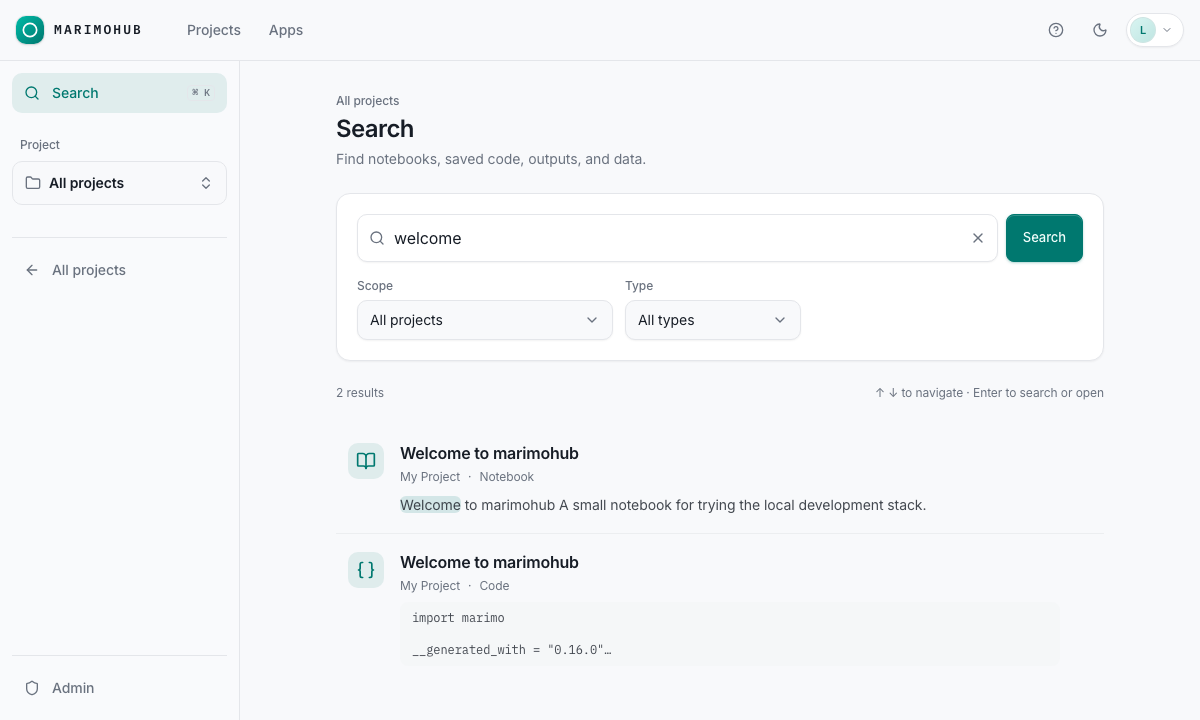
Cmd+K (macOS) or Ctrl+K opens global search. On a search page, it focuses the current field. / focuses the field outside text inputs and selectors. Use ↑/↓ to navigate results, Enter to open, and Escape to return.
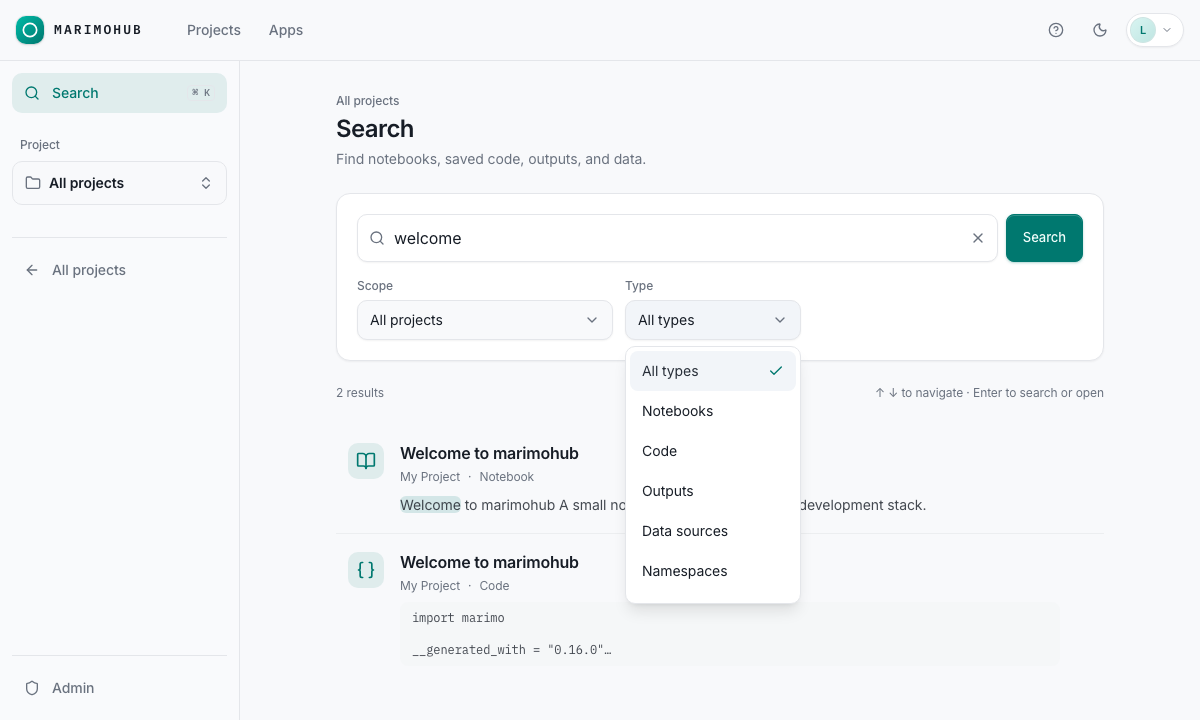
Search runs after a 500 ms typing pause. Press Enter in the field or click Search to submit immediately. If semantic search is enabled, select Include related notebook content for related matches.
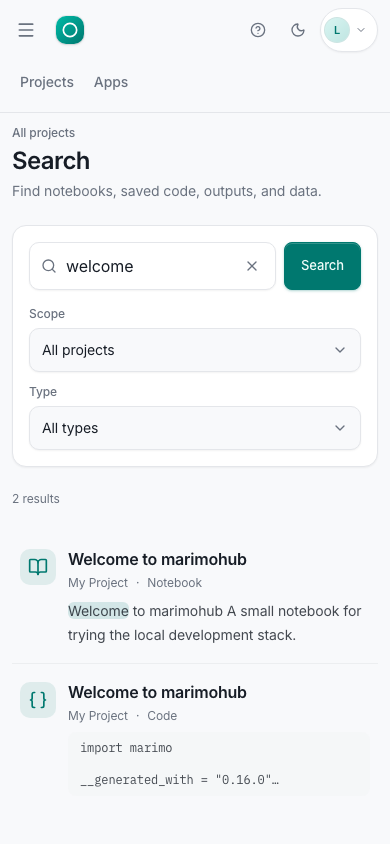
Results show up to 50 matches with the project, resource type, and a highlighted snippet. Data source results open project Integrations. Namespace, table, and column results open the data browser.
REST and MCP
GET /api/v1/search?q=revenue&project_id=proj-0123456789abcdef&kinds=notebook,code,table&limit=20The MCP tool search_workspace accepts the same fields, with kinds as an array:
{
	"q": "revenue",
	"project_id": "proj-0123456789abcdef",
	"kinds": ["notebook", "code", "table"],
	"limit": 20,
	"mode": "keyword"
}
Omit project_id to search across projects. Set mode to hybrid to include semantic matches when enabled; the most similar embedded documents are ranked alongside keyword matches. Queries contain 1–256 characters. limit ranges from 1 to 50. Each user can run 30 queries per minute across REST and MCP on each server replica. The limit is not shared between replicas. Further queries return 429 with RESOURCE_EXHAUSTED until the window resets.
Results include a typed resource reference, link, index timestamp, and plain-text snippet. Highlights use UTF-16 offsets. Render snippets as text, never HTML. Preserve response order. New result kinds, resource types, and coverage statuses can appear in later releases. Clients must ignore unknown kind and coverage.status values.
Access, freshness, and coverage
Search returns only content the caller can currently access. Data source, namespace, table, and column results require the editor role (integration.use) in the project; viewers do not see them. Search excludes integration credentials and table rows. Saved outputs include plain text and visible HTML text, excluding hidden or external content.
Indexes update asynchronously. New or changed content can remain absent until indexing completes. not_indexed means no index is available. stale means the index was last verified more than 15 minutes ago; stale results are still returned and do not mark the search incomplete. Persistent storage failures or slow reads can prevent updates indefinitely. Existing results remain subject to current access and content checks.
A coverage notice, or partial: true in the API, means the search was incomplete. Per-source status identifies failures, timeouts, missing or stale indexes, disabled sources, and exhausted limits. An empty result with incomplete coverage does not mean the content is absent.
Global search covers the first 16 projects you can access, in catalog order, among the first 128 projects in the catalog. It reports truncated coverage for the projects source when more exist. Select a project or set project_id for project-scoped search. Large projects and catalogs can also have incomplete coverage. Large descriptions and saved outputs can be truncated. Coverage is partial when extraction exceeds its input budget. Search removes notebooks hidden by security labels before ranking, unless a label change is pending. Final access and freshness checks can reduce the result count below limit. Search does not fill those slots with lower-ranked results. Keyword search matches whole tokens, including underscores, without case sensitivity. It does not match prefixes, substrings, or word variants.